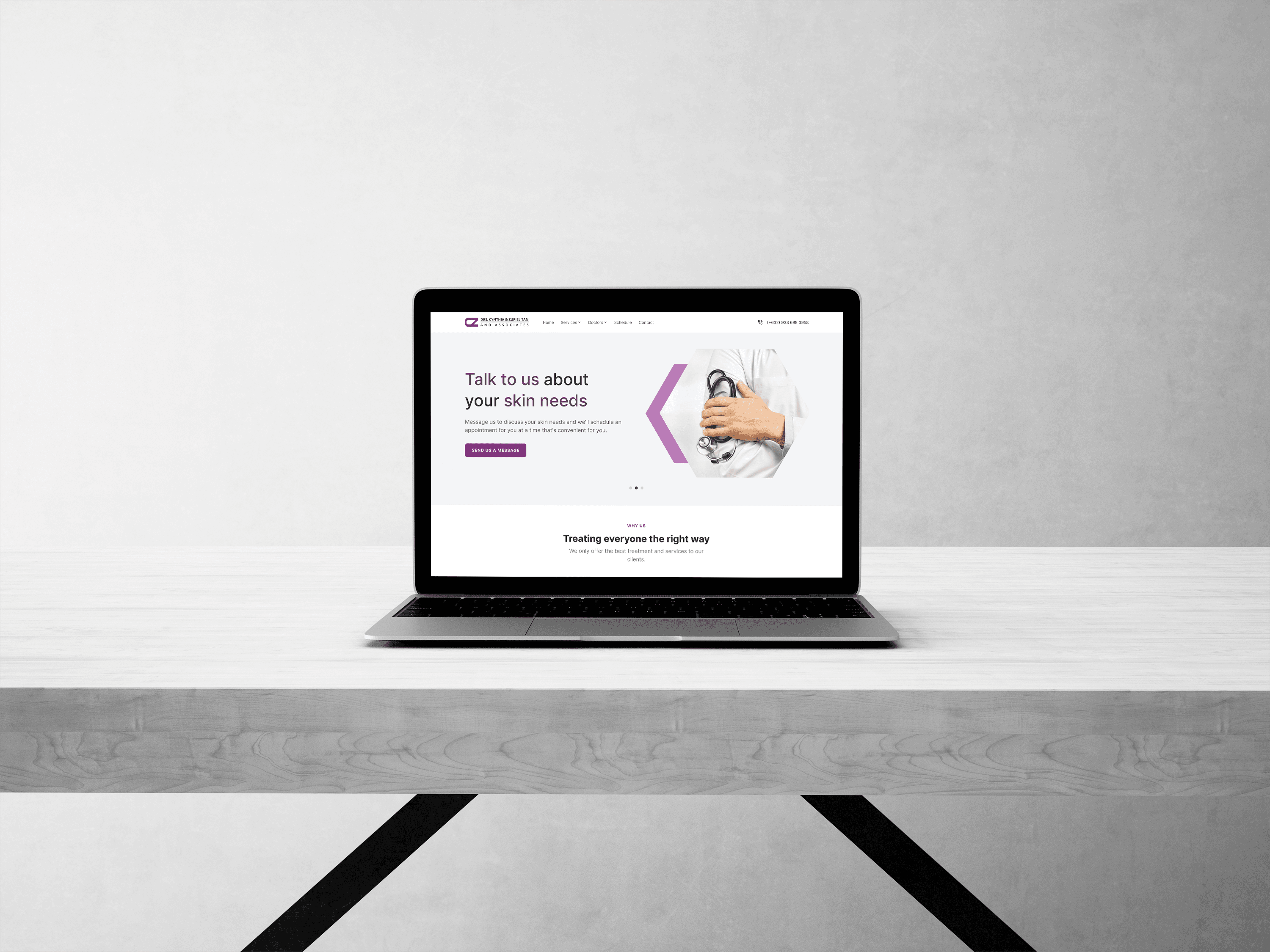
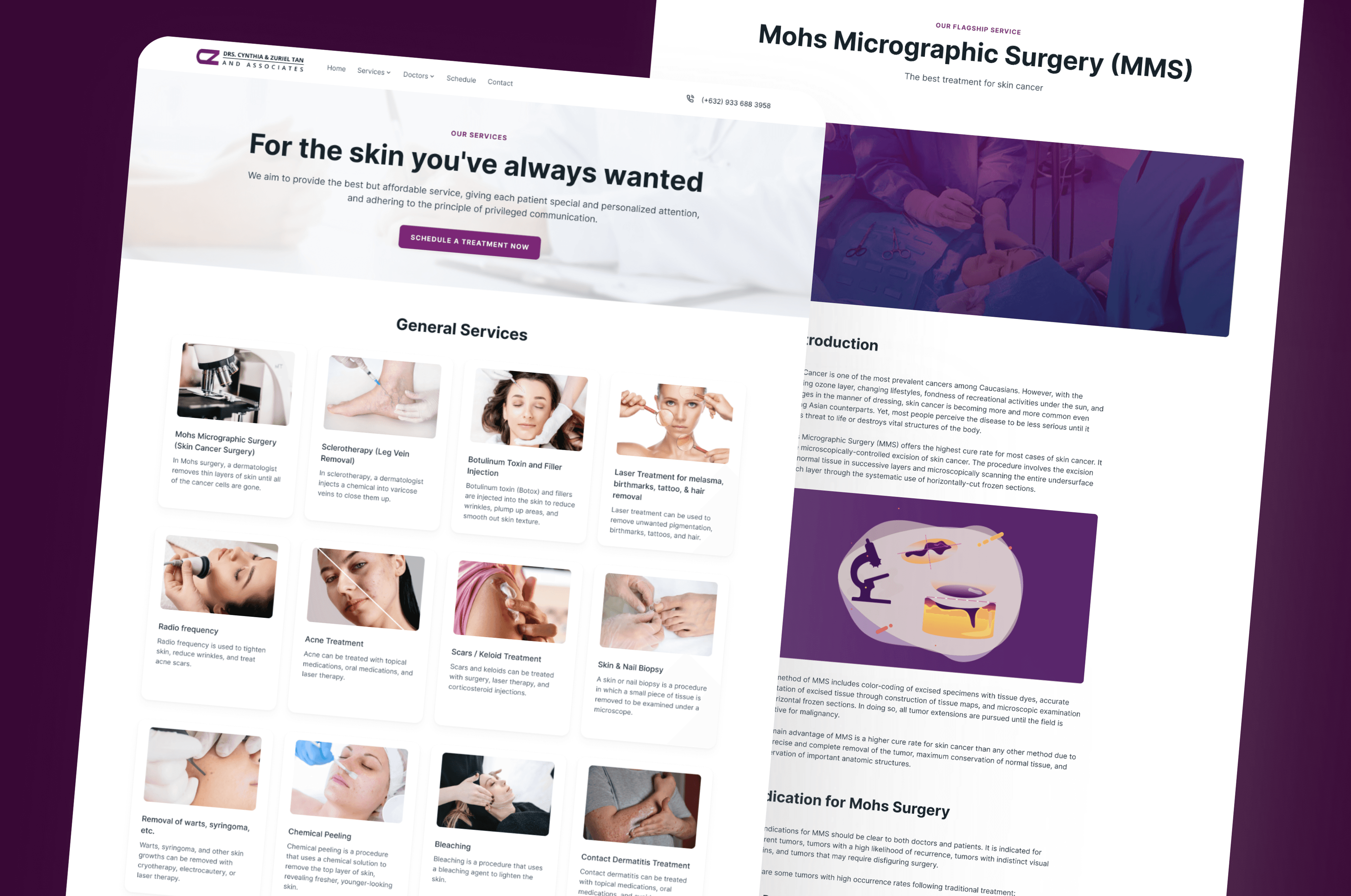
Revamp of a dermatology landing page for a modern and clean look
Type
Web Application
Role
Product Designer
Tools
Figma
Photoshop
Timeline
Autumn 2023
Duration: 2 Weeks
The Problem
How might we redesign the landing page so it effectively attracts customers while making all essential information easily visible and easy to navigate?
Research
Empathizing with users
When given a vague design brief, research becomes invaluable. Without clear requirements, the best way to make good design decisions is to uncover the gaps in the existing product, because figuring out the problem is already halfway to the solution.
The client wanted to rehaul their website as their existing landing page uses an outdated tech stack which is difficult to update. They also saw the need to update the design to make it more modern, but aside from that, their brief was simply "please update it and make it look nice.” With little direction, I examined their current website to understand the problems with the implemented design and to define what “update” and "nice" actually meant from a UI/UX perspective.
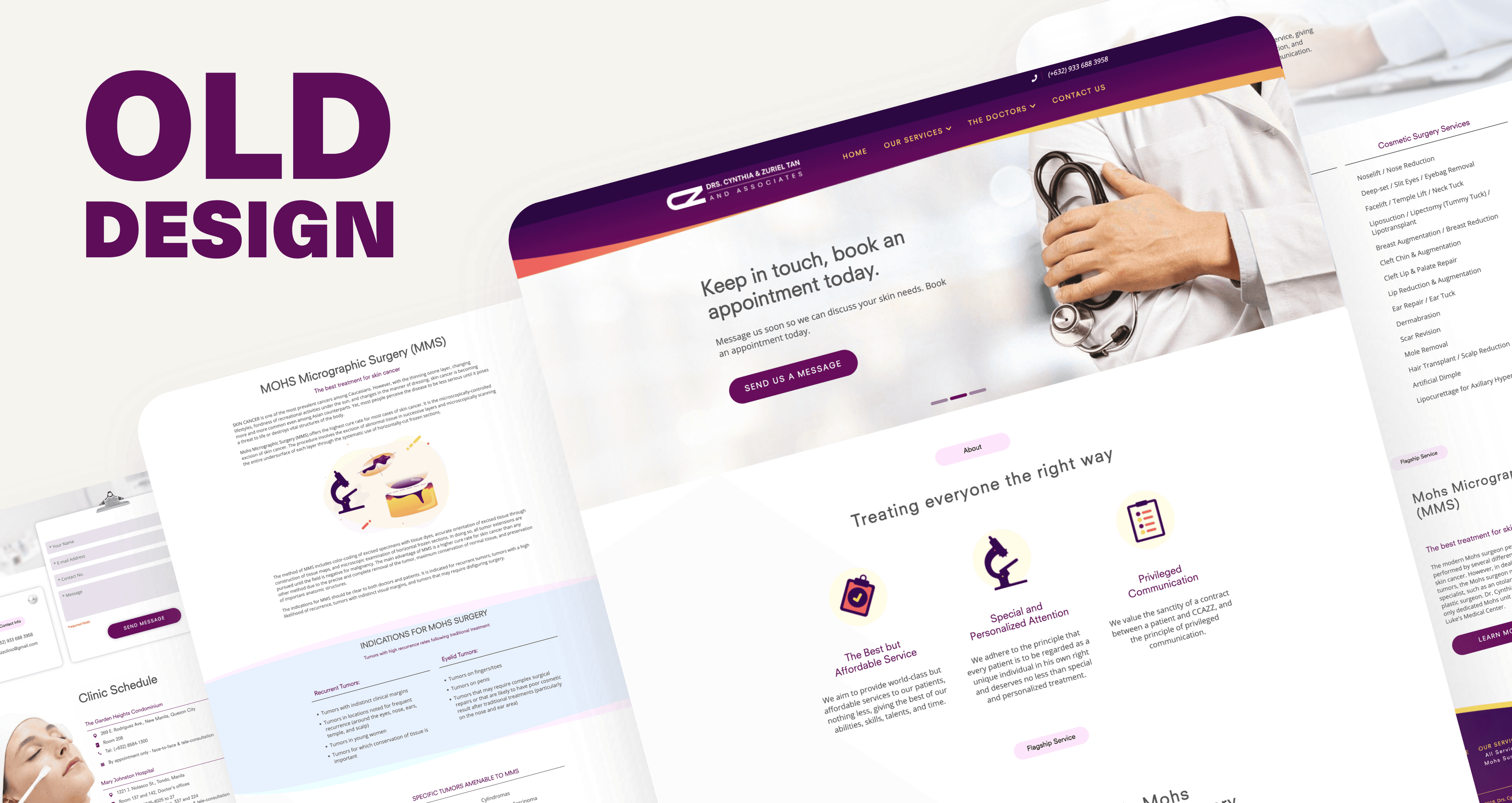
While reviewing their website, I noticed several issues affecting both visual design and customer experience. The site wasn't mobile friendly and some visually interesting design choices made it feel outdated, such as the unconventional shape of the navbar and footer, as well as the blobs used in some photos. Aside from that, there were sections that were filled with blocks of text without supporting visuals and the overall layout lacked coherence due to inconsistent button styles, spacing, and typography.
Getting client feedback and improving the first prototype
Branding Adjustments
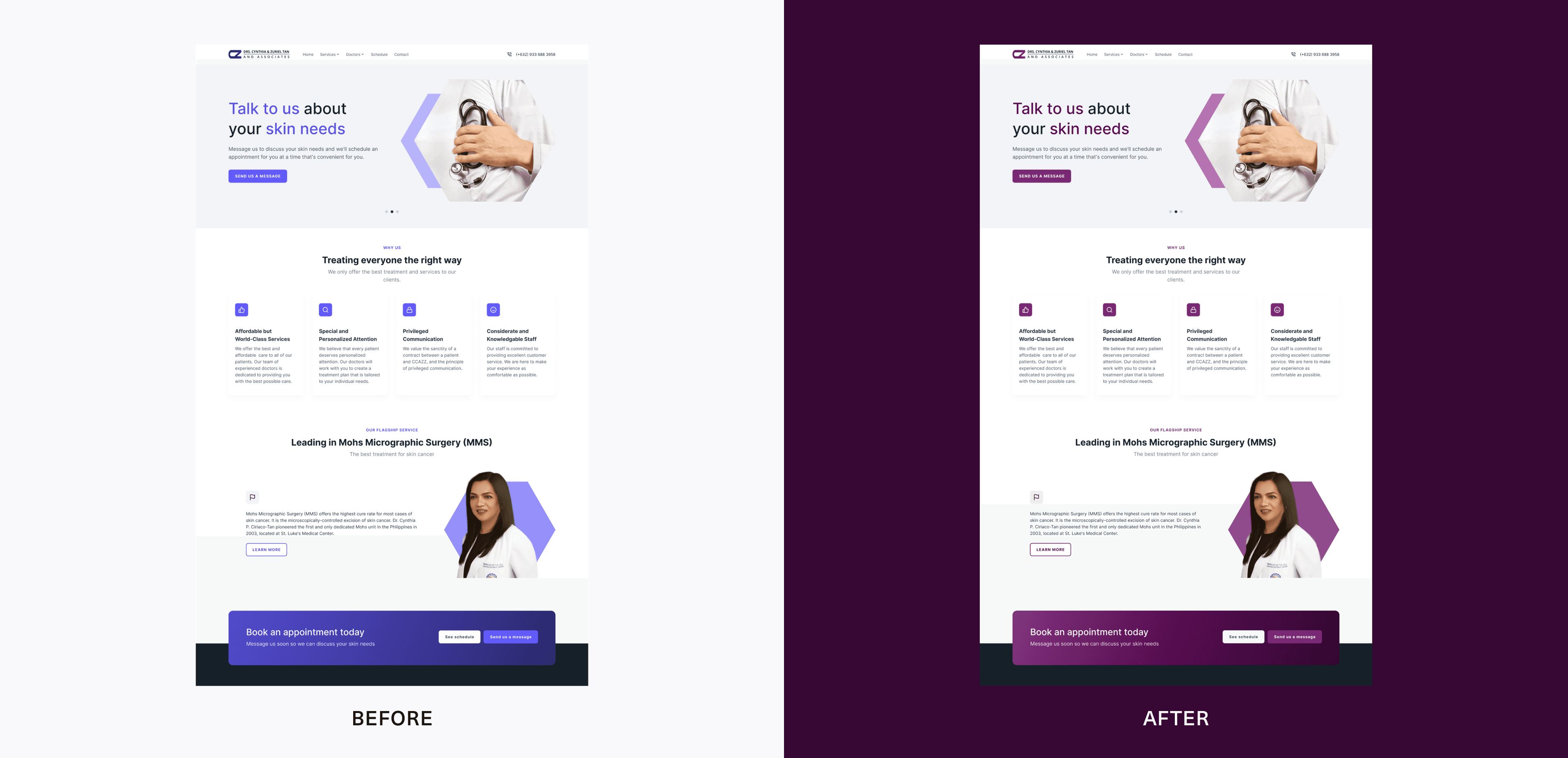
Once the first prototype was ready, I presented it to the client for feedback. I initially chose a bluish-purple as primary color to make the call-to-actions more "clickable" and the website feel more modern. However, the client preferred a darker violet based on personal preference and their existing brand identity, so I updated the colors accordingly.
Services Section Revision
The initial version was too text-heavy, but this decision was based on the current UX copy of the website. I didn’t want to change it too much since I’m not familiar with medical terms. However, the client wanted each service to have a photo and a short description, so I redesigned this section using cards. I did my best to research each service so I could draft UX copy for each one, which the client later fact-checked and approved.
Aside from these revisions, most of the design decisions were accepted without changes. These two were the only major revisions, and I appreciated the improvements they brought to the final design.
Prototype
The solution
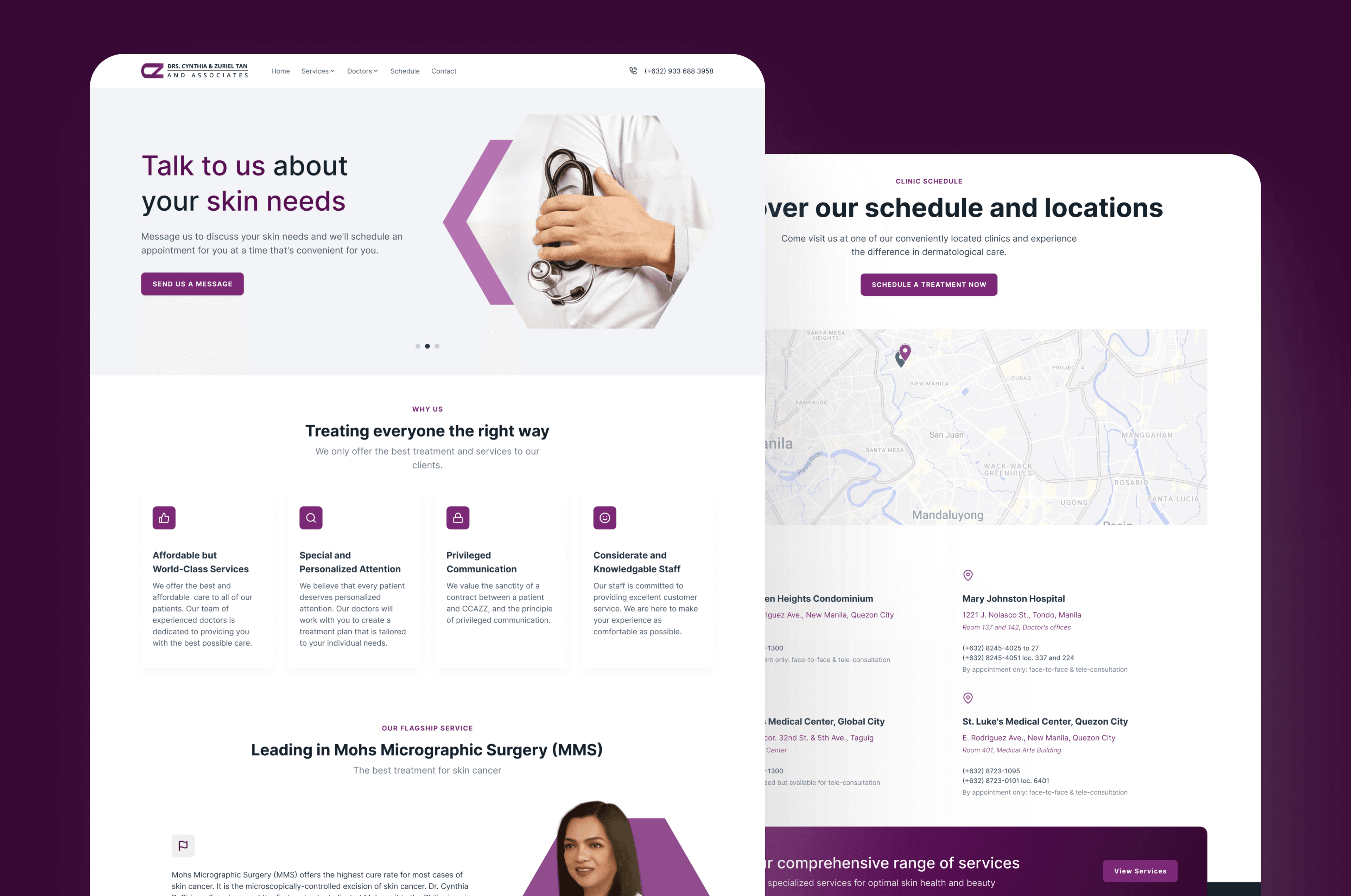
The final prototype incorporated the client’s feedback from the testing phase and addressed the issues uncovered during the research phase. This resulted in a intuitive, cleaner, and more modern landing page.
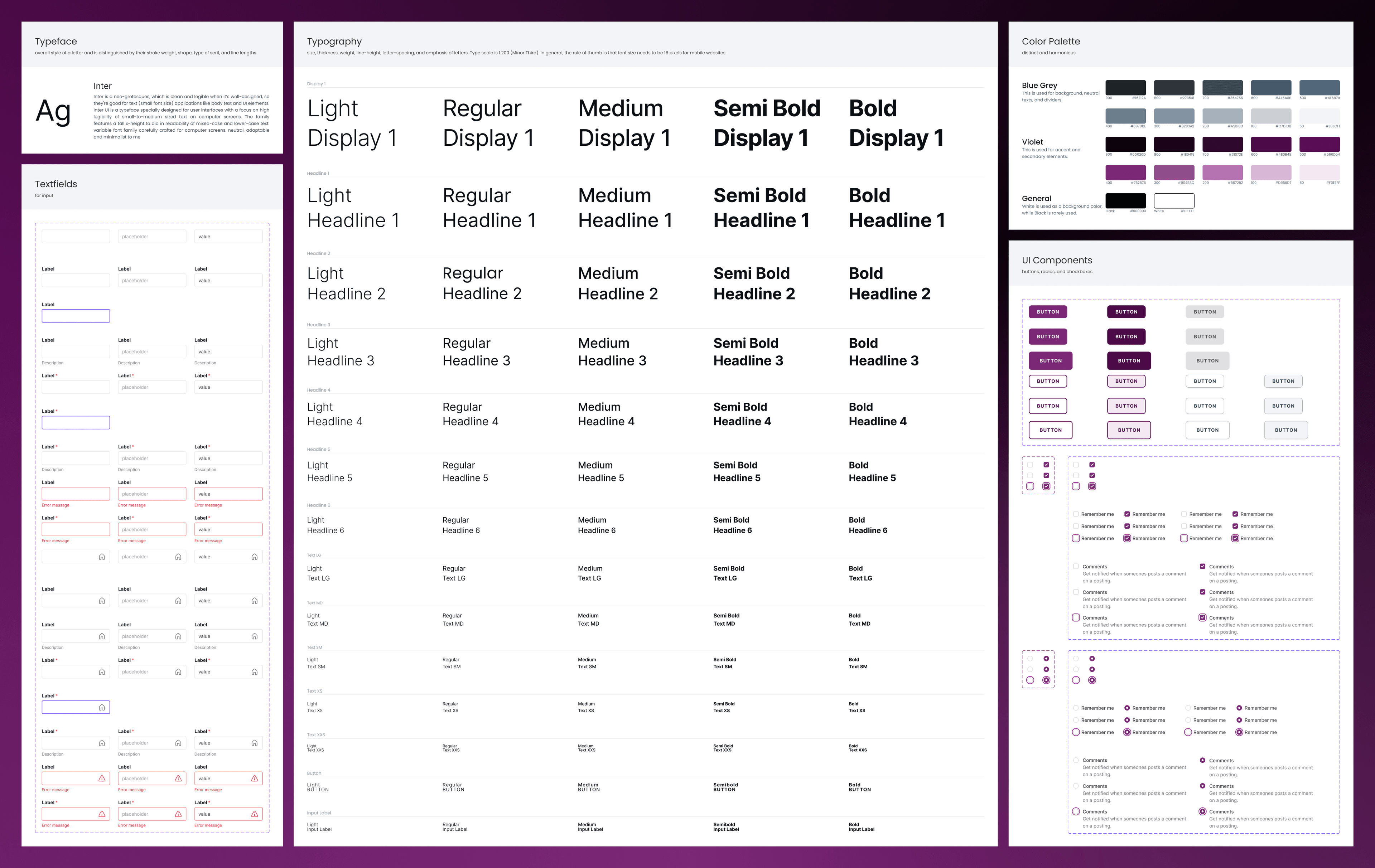
To address the issues uncovered during the research phase, I created a simple style guide to ensure a consistent visual design and support a smooth developer handoff.
UI stylesheet featuring the color palette, typography, and UI components for the dermatology website redesign
The hero section was made more dynamic by introducing a carousel with subtle motion to create an engaging first impression. I also moved the clinic schedule and location into a separate page after identifying that users typically seek that information quickly and directly.
Since the client did not provide any assets, I edited the portraits in Photoshop to achieve a professional look, modernized the logo by updating the color and typeface, then redesigned the navbar to follow a familiar and standard pattern. I also added icons and images to reduce text-heavy sections which improved readability and made information easier to digest for customers.
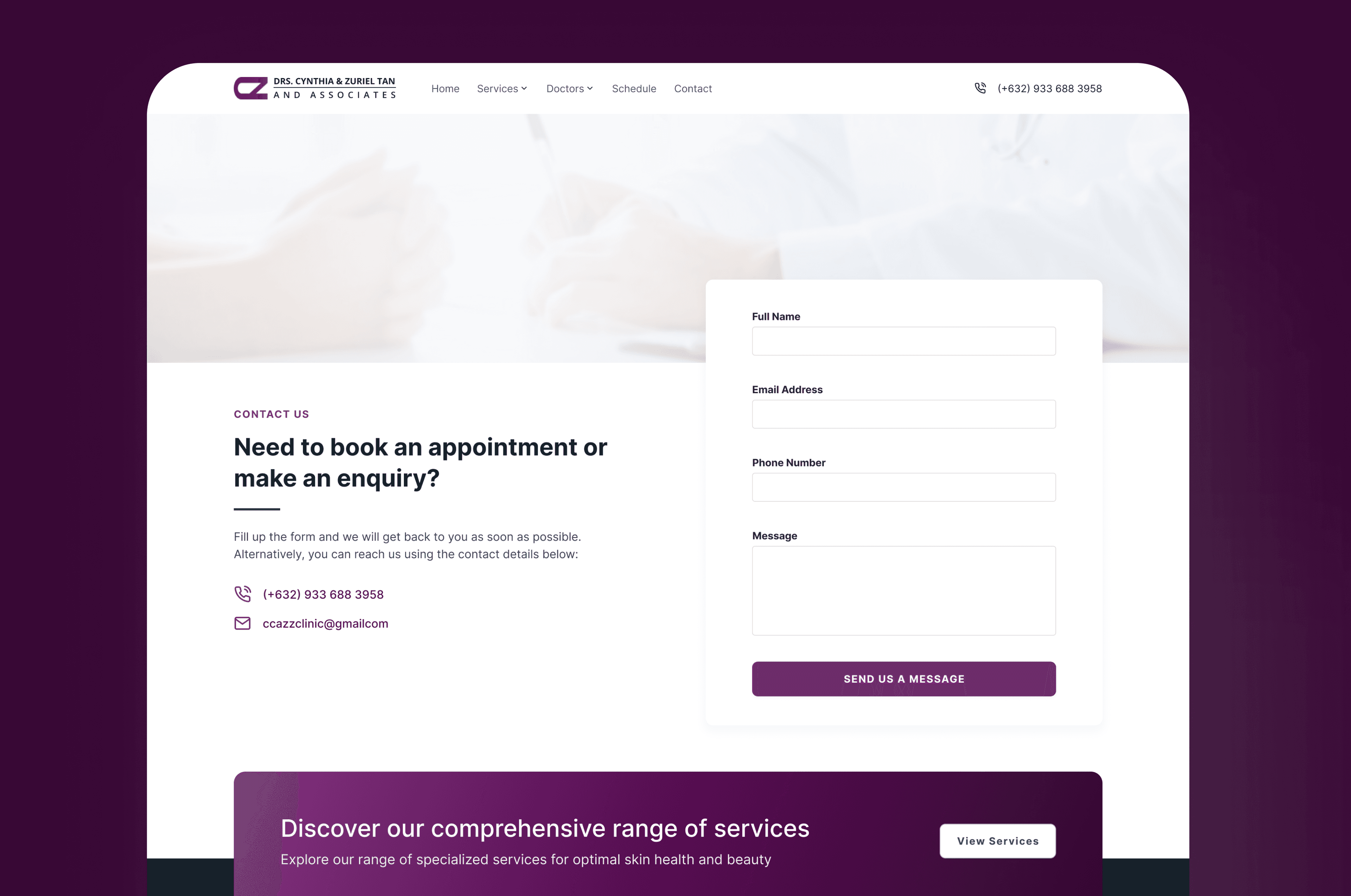
For the contact section, I replaced the decorative clipboard element with an actual form modal to improve usability.
This project came with its own challenges, especially the vague design brief and the lack of assets and copy, which I am not an expert on. Despite that, the client’s hands-on review and collaboration made the refinement process quick. The final design clearly reflects a balance of the client’s taste and practical UX considerations as I learned how to accommodate their preferences.
The small design system (stylesheet) I created early on also made the developer handoff smooth and ensured consistency across components. However, I noticed that the developer did not follow the design to a tee, so some spacing looks awkward in the final product (most likely only noticeable to fellow designers), but the client was still pleased with the fresh look of their website. Overall, the redesign resulted in a cleaner, more modern, and more user-friendly landing page that better aligns with the clinic’s brand and the needs of its customers.